ScanCode
Scan QR codes and barcodes from your Mac screen, or a camera, then see exactly what they contain and act on them.
Buy Now - Available on Mac App Store
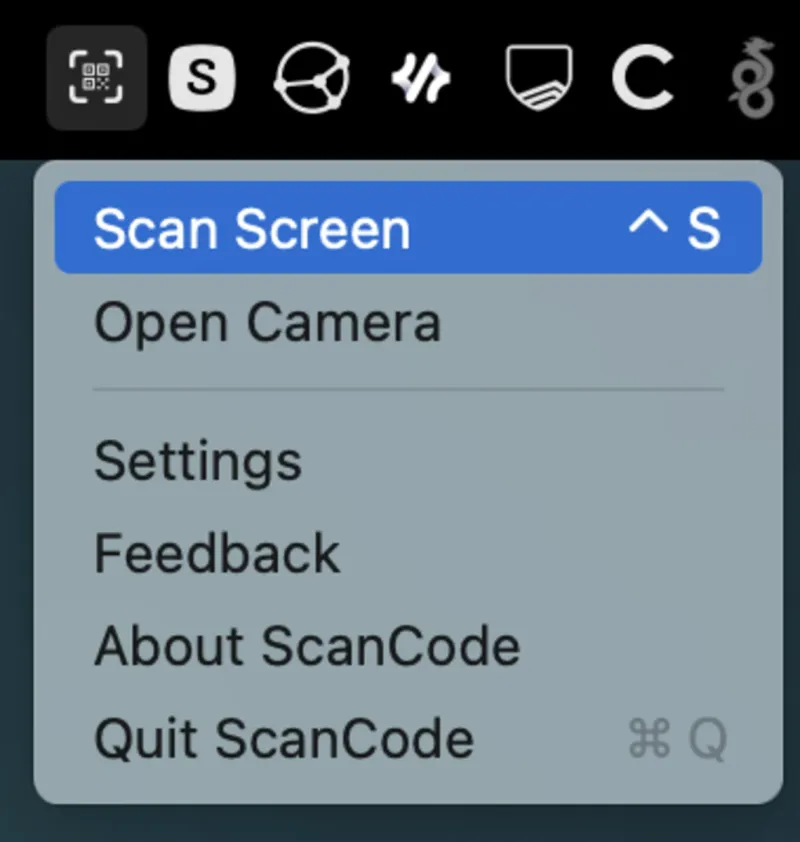
Scan the screen or use a camera
Hit the shortcut and drag a box around anything on screen, including a screenshot, or open a camera. No app to bring forward, no window to arrange, no phone involved.
You see it before you act on it
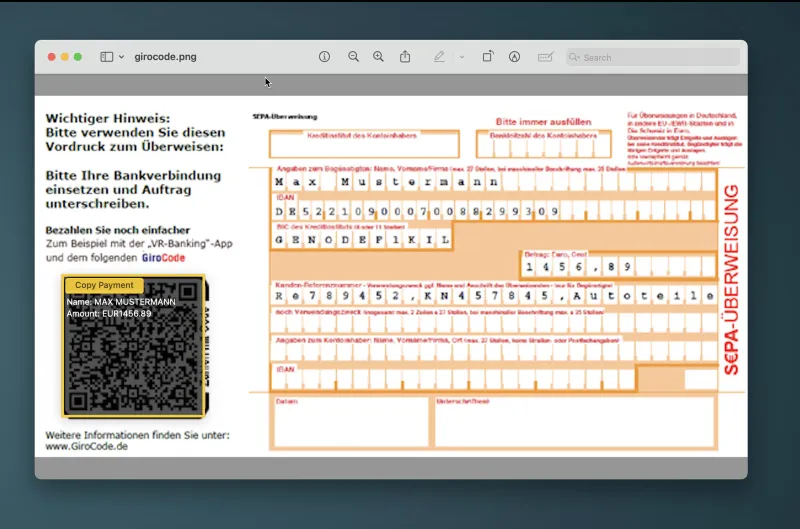
A SEPA transfer arrives as an amount, a reference, an IBAN and a recipient, not as an opaque string. The same goes for links, one-time password keys and everything else. You read what it says first, then decide.
Every code type gets its own answer
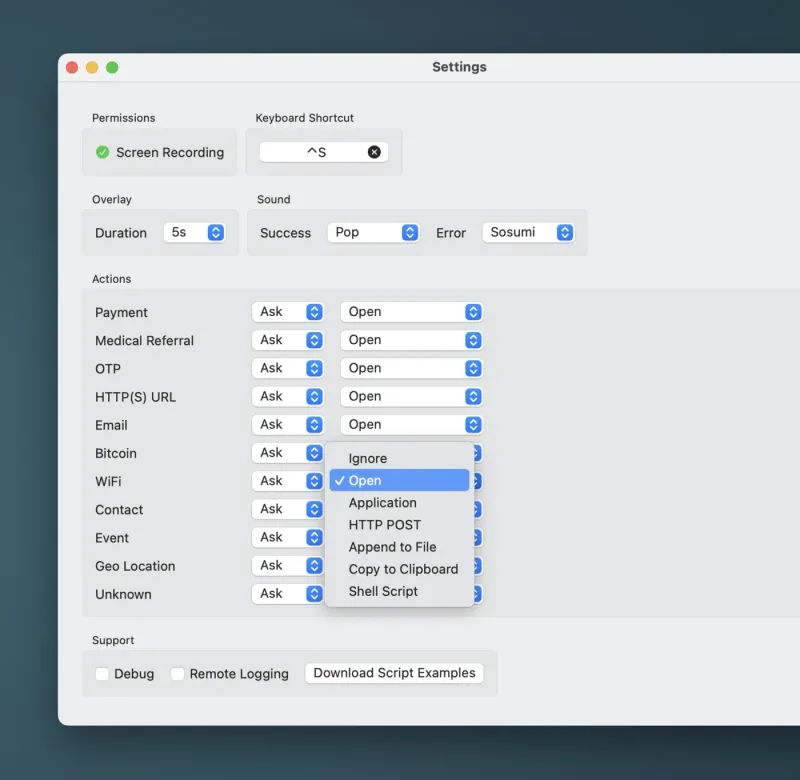
Decide once what should happen to a payment, a link, a WiFi code or an OTP key. Copy it, open it, POST it, append it to a file, hand it to a shell script, or have ScanCode ask you in the moment.
Then it gets out of the way
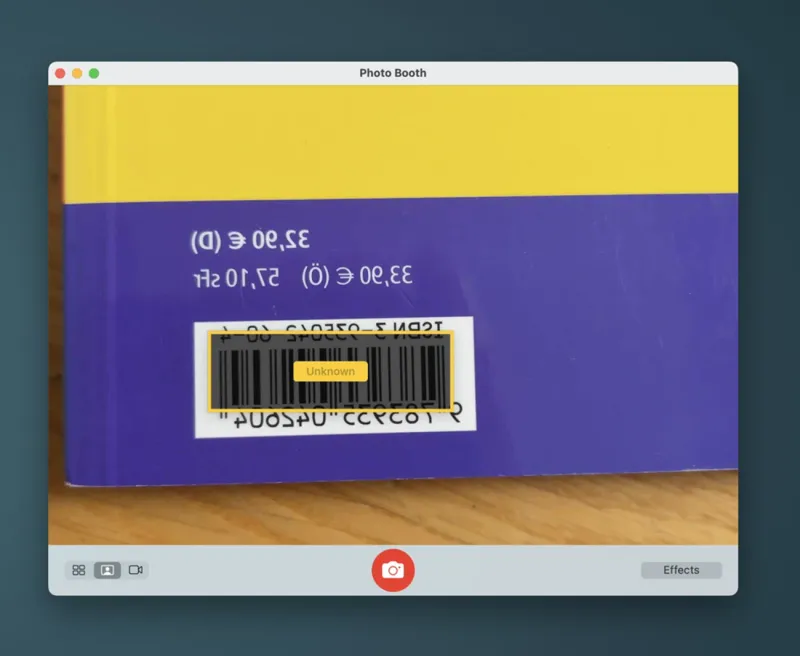
Point a camera at a shelf of books and let each barcode append itself to a file. The repetitive scan you were dreading becomes a loop you walk away from.
Every code, and what to do with it
- PaymentSEPA transfers and GiroCode, with amount, reference, IBAN and recipient laid out before you pay
- OTPOne-time password keys, so you can see what an authenticator code is really setting up
- URLLinks, shown in full before anything opens
- WiFiNetwork credentials from the code on the café wall
- Contact & EventCards and calendar entries, ready to hand to the right app
- BitcoinPayment requests, inspected before they reach a wallet
- Anything elsePlain text, geo locations, medical referrals, and codes that identify as nothing in particular
- Copyto the clipboard
- Openin the app that should handle it
- POSTto a server of your choosing
- Appendto a file, one scan per line
- Passto a shell script, and do whatever you want with it
- Askevery time, per code type, if you would rather decide in the moment
Scanning and decoding happen on your Mac. ScanCode needs screen recording permission to read codes from your screen, and the camera only if you ask it to look through one. Nothing leaves the machine unless you set up an action that sends it somewhere.
The story
As a developer I kept running into codes in the middle of work. Deployment URLs, API endpoints, tokens, test data, the WiFi code at a conference. Every single time the answer was the same: pick up the phone, open the camera, then try to get the result back onto the machine where I actually needed it.
I tried the Mac scanners that existed. They decoded the code and showed me the text, and that was the end of it. I still had to copy it, find the right app and paste it in. For a link I wanted the browser. For text I wanted the clipboard. For a SEPA code I wanted my banking app, and I wanted to see the amount before anything opened.
So I built ScanCode: a Mac app that reads a code, tells you what it actually contains, and then does the thing you would have done by hand. It lives in the menu bar, reads codes straight off the screen, and hands the result to whatever should receive it.
It started as something I made for myself and turned into the tool I reach for several times a week.
Questions
How is this different from using my phone's camera?
Your phone can read the code, but then the result is on the wrong device. ScanCode scans, decodes and acts on the Mac you are already working on, so a link opens in your browser and a payment lands in your banking app without anything being retyped.
How do I scan a QR code from my Mac screen?
Hit the shortcut, drag a box around the code and ScanCode reads it right away. It works with QR codes and barcodes from the screen or camera, whether the code sits in a web page, a PDF, a presentation or a video call.
Can ScanCode decode a barcode from a screenshot?
Yes. Open the screenshot on your Mac, hit the shortcut and drag a box around the barcode. ScanCode decodes it without needing the original image file or your phone.
What can it do with a code once it has read it?
Copy it to the clipboard, open it in an app, POST it to a server, append it to a file, or pass it to a shell script. You can set a different action per code type, or have ScanCode ask you each time.
What kinds of codes does it understand?
QR codes and bar codes, including SEPA payments and GiroCode, one-time password keys, URLs, email, WiFi credentials, contacts, calendar events, geo locations and Bitcoin payment requests. Anything it cannot classify is still decoded as plain text.
What does it need access to?
Screen recording permission, so it can read codes from your screen, and camera permission only if you want to scan with a camera. Nothing else.
Where does my data go?
Scanning and decoding happen on your Mac, and nothing leaves it unless you tell it to. The one exception is deliberate: if you configure the POST action, that scan goes to the server you named, and only that one.